Labels

Monday, January 2, 2012

Realtek RTL8180L Wireless LAN (Mini-)PCI Adapter Windows, Linux, Mac OS Drivers

| Wireless Driver & Software

The Realtek RTL8180L is a highly integrated and cost-effective wireless LAN network interface controller that integrates a wireless LAN MAC and a direct sequence spread spectrum baseband processor into one chip. It provides 32-bit performance and PCI bus master capability. With full compliance to IEEE 802.11 and IEEE 802.11b specifications, the RTL8180L delivers wireless Ethernet networking at speeds of 1, 2, 5.5 or 11 Mbps.

Device Name: Realtek RTL8180 Wireless LAN (Mini-)PCI NIC;
Device ID: PCI\VEN_10EC&DEV_8180, PCI\VEN_10EC&DEV_8180&SUBSYS_818010EC  

Realtek RTL8180L Driver and Utility For Windows 9x, Me, 2000, XP 32/64bit:

Description VersionUpdate TimeFile SizeDownload
Utility program
3.5.0.62005/5/312055kGO
Windows 64bit driver
1.742005/5/25104kGO
Windows 98SE,ME,2000,XP Drivers
1.732004/10/21101kGO
Windows 95 and NT4 Driver
1.522003/12/26538kGO

Realtek RTL8180L Wireless LAN Driver for Unix / Linux:

DescriptionVersionUpdate TimeFile SizeDownload
Linux kernel 2.6.X
1.52005/4/19694kGO
Linux kernel 2.4.18 (gcc version 2.96)
1.52004/1/13220kGO
Linux kernel 2.4.20 (gcc version 3.2.2)
1.52004/1/13234kGO

Realtek RTL8180L Wireless LAN Driver for MacOS:

DescriptionVersionUpdate TimeFile SizeDownload
MAC OSX 10.4.X (Beta Version)
1.2.0 Beta2006/1/4198kGO
MAC OSX 10.2.X
1.122003/9/4145kGO

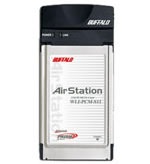
Buffalo WLI-PCM-S11/WLI-PCM-S11G 802.11b Wireless LAN PC Card

Buffalo_WLI-PCM-S11

WLI-PCM-S11: Wireless LAN PC Card, 11Mbps Wireless LAN AirStation,  64(40)bit WEP;

WLI-PCM-S11G: Wireless LAN PC Card, 11Mbps Wireless LAN AirStation, 128(104)/64(40)bit WEP;

Features:

  • Rapid access and distance & effect throughput that is more overwhelming than wireless LAN card of the other companies achieves both high performances. 
  • The high-speed transmission speed of wireless LAN standard protocol IEEE802.11b conforming and 11Mbps is achieved.
  • An excellent communication quality is secured by adopting the built-in diversity antenna.
  • High noise-proof is achieved by Spectrum diffusion method (DS-SS) adoption.

Device Name: BUFFALO WLI-PCM-S11 Wireless LAN Adapter
Hardware ID: PCMCIA\BUFFALO-WLI-PCM-S11-A8E0

Device Name: BUFFALO WLI-PCM-S11G Wireless LAN Adapter
Hardware ID: PCMCIA\BUFFALO-WLI-PCM-S11G-E788

Buffalo AirStation WLI-PCM-S11/WLI-PCM-S11G Wireless LAN PC Card Windows 9x/2000/XP Drivers:

Download ( 516k, 3/20/2003, 2.1.1.135).

Friday, December 30, 2011

TI (TNETW1130GVF) 802.11a/b/g Wireless MiniPCI/CardBus/PCI Adapter

TI TNETW1130GVF mini-pci wireless card

TNETW1130: Single-Chip MAC and Baseband Processor for 802.11a/b/g

Key Features

  • True dual-band 54 Mbps data in the 2.4-GHz and 5.2-GHz U-NII bands
  • Hardware-accelerated Advanced Encryption Standard (AES) for mandatory (AES-CCMP)
  • Wi-Fi Compliant 802.11g operation
  • Compatible with all versions and additions to the 802.11 standard including draft standards
  • Field-programmable architecture to supports standard changes
  • Seamless interoperability and automatic fallback operation in the 2.4-GHz band between the higher-speed 802.11g and established 802.11b modes
  • Auto-Band™ feature automatically selects between the 5.2-GHz and the 2.4-GHz bands and modulations based on user profile configurations
  • ELP™ — Optimized low power consumption for maximum battery life
  • Optional 802.11g+ mode provides 50% greater throughput over competitive 802.11g solutions

TI TNETW1130GVF Product Bulletin: (tnetw1130_prod_bulletin.pdf, 108 KB), 03 Aug 2003

Device Name: TI 802.11g Wireless CardBus PC Card
Hardware ID: PCI\VEN_104C&DEV_9066&SUBSYS_AB8013D1,
PCI\VEN_104C&DEV_9066&SUBSYS_AB0714EA

Device Name: TI 802.11g Wireless PCI Card
Hardware ID:  PCI\VEN_104C&DEV_9066&SUBSYS_AB9013D1

Device Name: TI 802.11g Wireless MiniPCI Card
Hardware ID: PCI\VEN_104C&DEV_9066&SUBSYS_ABA013D1,
PCI\VEN_104C&DEV_9066&SUBSYS_9067104C

TI TNETW1130GVF Wireless MiniPCI/CardBus/PCI Adapter Win98/ME/2000/XP Drivers:

Download (489KB)

Thursday, December 29, 2011

Using the Microsoft Bluetooth Stack | Wireless Driver & Software

Once you initiate the transfer form your phone or PDA, your PC will detect the file and ask where you want it to be stored:

Use Browse to change the location if you desire. Then press Next and the file will be accepted on your PC.

Note: Your virus checker may not scan files received via Bluetooth. It is a good idea to reserve a directory for incoming files and perform a virus check on this directory before opening them.

Once the file transfer has completed, Windows will display information about the received file.

Note: This is the only way of receiving files using the Windows XP Bluetooth stack. If you make the PC permanently discoverable you will still need to initiate File Receive from the Bluetooth Icon.


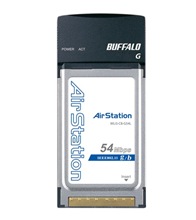
Buffalo WLI3-CB-G54L 802.11b/g Wireless LAN Adapter

Buffalo WLI3-CB-G54L

Buffalo Wireless-G MIMO Performance laptop Adapter extends the range of standard 802.11g client devices by up to 70% and improves overall performance by up to 50%. Combine this product with optional Buffalo Technology Antennas to provide remarkable performance and range solutions. The AirStation 54Mbps Wireless  laptop Adapter offers a fast and flexible client solution for your laptop PC.

Features:

  • Built-in amplifier improves wireless performance and extends range
  • 802.11g Wireless 125* High-Speed Mode Technology (Turbo G)
  • WPA-PSK(TKIP、AES)、WEP(128/64bit)
  • Easy setup with AirStation One-Touch Secure System (AOSS)
  • 32-bit CardBus interface fits any Type II or Type III PC card slot
  • Backward compatible with 802.11b

Device Name: BUFFALO WLI3-CB-G54L Wireless LAN Adapter

Hardware ID: PCI\VEN_14E4&DEV_4318&SUBSYS_03431154

Buffalo WLI3-CB-G54L 802.11b/g Adapter Windows 2000/XP/Vista/Win7 Drivers:

Download (3.46MB, support Windows 7 32bit/64bit, Vista 32bit, XP, 2000, Me,98SE)

Monday, December 26, 2011

TRENDnet 150Mbps Wireless N Home Router TEW-651BR Overview, Specs

| Wireless Driver & Software

The 150Mbps Wireless N Home Router delivers the highest level of security with 6x the speed and 3x the coverage of wireless g products. Quickly install the router and use it with TRENDnet wireless n adapters to receive the full benefits of wireless n speed and coverage.

The latest in wireless encryption and a secure firewall protect your valuable data. Router setup is fast and intuitive. Wireless Protected Setup (WPS) integrates other WPS supported wireless adapters at the touch of a button. Seamlessly stream HD media, download files and surf online with wireless n speed.

*Maximum wireless signal rates are referenced from IEEE 802.11 theoretical specifications. Actual data throughput and coverage will vary depending on interference, network traffic, building materials and other conditions.

Hardware
StandardsIEEE 802.3 (10Base-T)
IEEE 802.3u (100Base-TX)
IEEE 802.11b
IEEE 802.11g
Based on IEEE 802.11n technology
WAN1 x 10/100Mbps Auto-MDIX WAN port (Internet)
LAN4 x 10/100Mbps Auto-MDIX LAN port
WPS ButtonEnables Wi-Fi Protected Setup (WPS) function
Connection TypeDynamic IP, Static (fixed) IP, PPPoE, PPTP, L2TP
Supported Web BrowsersInternet Explorer 6.0 or above, Firefox, Safari
Internet Access ControlMAC Address Filter (20 entries), Domain/URL Filter (40 entries), Protocol/IP Filter (20 entries)
LED IndicatorsPower, Status, LAN1 – LAN4, WAN, WLAN
Power Supply5V DC, 1.2A external power adapter
Power Consumption3.5 watts (max)
Dimensions
(LxWxH)
150 x 110 x 30mm (5.9 x 4.3 x 1.2in)
Weight225g (7.8oz)
TemperatureOperating: 0° ~ 40°C (32° ~ 104°F)
Storage: -10°C ~ 70°C (-14° ~ 158°F)
Humidity10% ~ 95% max (non-condensing)
CertificationsCE, FCC
Wireless
Frequency2.412 ~ 2.484 GHz ISM band
Antenna1 x 2dBi fixed dipole antenna
Module Technique802.11b: CCK (11 and 5.5Mbps), DQPSK (2Mbps), DBPSK (1Mbps)
802.11g: OFDM with BPSK, QPSK and 16/64-QAM
802.11n: BPSK, QPSK, 16QAM, 64QAM with OFDM
Media Access ProtocolCSMA/CA with ACK
Data Rate (Auto Fallback)802.11b: up to 11Mbps
802.11g: up to 54Mbps
802.11n: up to 150Mbps
Output Power802.11b: 15dBm (typical) @ 11Mbps
802.11g: 15dBm (typical) @ 54Mbps
802.11n: 13dBm (typical) @ 150Mbps
Receiving Sensitivity802.11b: -85dBm (typical) @ 11Mbps
802.11g: -68dBm (typical) @ 54Mbps
802.11n: -62dBm (typical) @ 150Mbps
Encryption 64/128-WEP, WPA-PSK/WPA2-PSK, WPA/WPA2-RADIUS
Channels1-11 (FCC), 1-13 (ETSI)

Friday, December 23, 2011

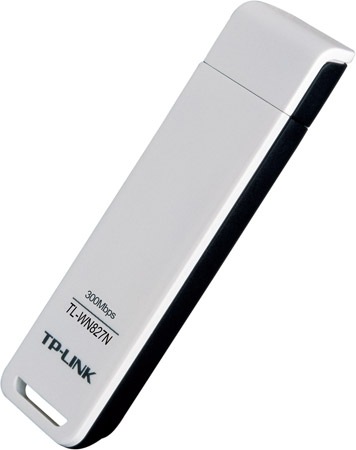
TP-Link TL-WN827N 300Mbps Wireless N USB Adapter

TL-WN827N

TP-Link TL-WN827N 300Mbps Wireless N USB Adapter:

  • 300M Wireless transmission rate, brings smooth video streaming and online-game experience
  • MIMO technology with stronger signal penetration strength, wider wireless coverage, providing better performance and stability
  • Wi-Fi Protected Security (WPS), set your security at a push of button
  • Supports Windows 2000/XP/Vista OS
  • Supports Sony PSP for online game
  • Supports soft AP mode

TP-Link TL-WN827N 300Mbps Wireless N USB Adapter Windows 2000, XP, Vista Drivers:

Driver
TL-WN827N_080301Published3/1/2008File Size 6.683 MB
Operation
System
Windows 2000/XP/Vista
Modifications for the first version
User Guide
Language Download Size
English TL-WN827N User Guide 1.412 MB

Use the decompression software such as WinRAR or WinZIP to decompress the file you download.

Thursday, December 22, 2011

Download TP-Link TL-WN951N Wireless WinXP, Vista, Win7 Drivers

| Wireless Driver & Software

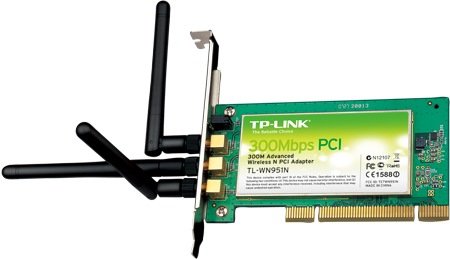
TP-Link TL-WN951N

Wireless N PCI Adapter TL-WN951N allows you to connect a desktop computer to a wireless network and access high-speed Internet connection. Comply with IEEE 802.11n, they provide wireless speed up to 300Mbps, which is beneficial for the online gaming or even HD video streaming.

TP-Link TL-WN951N 300Mbps Wireless N PCI Adapter:

  • Wireless N speed up to 300Mbps makes it ideal for video streaming, online gaming and internet calls
  • MIMO technology with stronger signal penetration strength, wider wireless coverage, providing better performance and stability
  • Supports 64/128 WEP, WPA /WPA2/WPA-PSK/WPA2-PSK(TKIP/AES), supports IEEE 802.1X
  • Supports Windows 2000, Windows XP 32/64bit, Vista 32/64bit, Windows 7 32/64bit
  • Supports ad-hoc and infrastructure mode
  • Supports Sony PSP X-Link for joyful online gaming for Windows XP
  • Bundled utility provides quick & hassle free installation
  • Seamlessly compatible with 802.11n/b/g products

Device Name: TP-LINK Wireless N Adapter

Hardware ID: PCI\VEN_168C&DEV_0023&SUBSYS_3071168C

Download TP-Link TL-WN951N Wireless N PCI Adapter Win2000, XP, Vista,Win7 Drivers, Utility:

TL-WN951N_100505 (Published Date: 5/5/2010; File Size: 29.2 MB; for Windows 2000/XP/Vista/7)

11n QSS Utility, Published Date: 7/3/2008, File Size: 4.357 MB

Use the decompression software such as WinRAR or WinZIP to decompress the file you download.

TP-Link TL-WN951N User Guide, English, TL-WN951N_User_Guide, 1.558 MB,

TP-Link TL-WN951N Datasheet, English, TL-WN951N_Datasheet, 0.718 MB

Tuesday, December 20, 2011

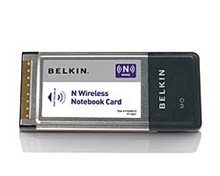
Belkin F5D8013 N Wireless Notebook Card

Belkin_F5D8013

Based on the 802.11n draft, N Wireless enables multiple receivers and transmitters to send and receive data using Intelligent MIMO (Multiple Input Multiple Output) spatial multiplexing techniques which greatly increases speed, coverage, and the reliability of the wireless network.

This product has multiple versions. Please check the version number on your adapter to ensure that you load the appropriate driver below.  Click here for help on finding your version number.

F5D8013 Device Name: Belkin F5D8013 N Wireless laptop Card

F5D8013 Version 1xxx Driver:

Device Hardware ID: PCI\VEN_1814&DEV_0601&SUBSYS_80131799

Download, version: 1.00.03., OS compatibility: Windows 2000, Windows XP 32-bit, Windows Vista 32-bit, Windows XP 64-bit, Windows Vista 64-bit, size: 78.9Mb

F5D8013 Version 3xxx Driver:

Device Hardware ID: PCI\VEN_1814&DEV_0701&SUBSYS_811C1799

Download, version: 2.0.0.04, OS compatibility: Windows 2000, Windows XP 32-bit, Windows Vista 32-bit, size: 14.5Mb

F5D8013 Version 4xxx Driver:

Device Hardware ID: PCI\VEN_1814&DEV_0701&SUBSYS_80131799

Download, version: 2.3.7; OS compatibility: Windows 2000, Windows XP 32 bit, Windows XP 64 bit, Windows Vista 32 bit, Windows Vista 64 bit; size: 7.46MB

F5D8013 N Wireless laptop Card – Product Manual

Allied Telesyn Wireless LAN Device

Allied Telesyn

AT-WCU200G

Allied Telesyn USB Wireless Adapter

802.11b/g 54Mbps Wireless USB 2.0 Adapter (Model# AT-WCU200G): Win98/Me/2000/XP

802.11G Wireless USB2.0 Adapter (Model# AT-WCU201G): v1.5.0.1051 (Win98/Me/2000/XP)

802.11b Wireless USB Adapter (Model# AT-WCL460): Download:Win98/Me/2000/XP


AT-WCC200G

Allied Telesyn Wireless PCMCIA Card

802.11g Turbo Mode 108Mbps (Model# AT-WR54BG)

802.11b/g 54Mbps Wireless Card Bus Adapter (Model# AT-WCC200G) :Win98/Me/2000/XP

802.11G Wireless CardBus Card (Model# AT-WCC201G): v4.1.2.711 (Win98/Me/2000/XP)

802.11b Wireless PCMCIA Adapter (Model# AT-WCL452)  Win98/Me/2000/XP

802.11b CardBus Wireless Adapter (Model# AT-WR2411):v2.2 (Win98/Me/2000/XP)


AT-WCP200G

Allied Telesyn PCI Adapter Wireless

802.11b/g 54 Mbps Wireless PCI Adapter (Model# AT-WCP200G) download:v1.20b3 (Win98/Me/2000/XP)

802.11b Wireless PCI Adapter (Model# AT-WCL007): download:Win98/Me/2000/XP

Need more Allied Telesyn Drivers: Please click here Allied Telesyn

Delta Networks 802.11b/g Wi-Fi Adapter

Delta Network Logo

Embedded Client Adapter

Delta 802.11 g Mini-PCI Wireless Card # LM-WM801I

Delta 802.11 a/g Mini-PCI Wireless Card # LM-WM901A

External Card

802.11 g  PC Card Wireless # LM-WB810RA

802.11 a/g  PC Card Wireless # LM-WB900A

USB Client Adapter

802.11g USB Wireless Adapter#  LM-WU811I

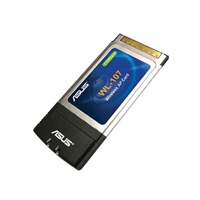
ASUS WL-107 Wireless 802.11b Cardbus Adapter Windows/Linux Driver, Utility

| Wireless Driver & Software

Asus WL-107

Features:

  • Excellent receiver sensitivity for best-in-class ranges
    Superior performance in real-world operating environments even in presence of other wireless LAN, Bluetooth TM devices and microwave oven interference
  • Lowest CPU utilization design leaves system resources available for other functions
  • Enhanced Security
    64/128 bit WEP support, Work with Windows XP SP1 security WPA functions
  • NAT(Network address translation) support: Internet connection sharing

Device Hardware Info:
Device Name: ASUS 802.11b Wireless LAN Card
Hardware IDs Supported:
PCI\VEN_1814&DEV_0101&SUBSYS_01071043
PCI\VEN_1814&DEV_0101&SUBSYS_01261043
PCI\VEN_1814&DEV_0101&SUBSYS_01271043
PCI\VEN_1814&DEV_0101&SUBSYS_01251043

The ASUS WL-107 is based on Ralink RT2400 b wireless chipset.

The ASUS WL-107 Cardbus Card driver for Win98SE/WinME/Win2K/WinXP:

Download 1, Download 2  (File Size: 202.26 (KBytes), 2004/09/10 update)

The ASUS WL-107 Cardbus Card utility release note and utility progrm in English, version 1.9.8.1.
a. The ASUS WL-107 Cardbus Card utility progrm in English.
b. Release note

Download 1, Download 2  (File Size: 5.68 (MBytes), 2004/09/10 update)

The ASUS WL-107 Cardbus Card Station and SoftAP driver source for Linux, RT2400 b SoftAp driver for RT2400 b. Download (330.05 (KBytes), 2007/04/27 update)  1. Please read "Read Me" file first.

Socket Go Wi-Fi! P500 802.11b/g Card Driver Download

| Wireless Driver & Software

 Go Wi-Fi! P500 802.11b/g Card [8510-00251, 8510-00252]
Windows Mobile
Please do not use with Hewlett Packard Windows Mobile 5.0 and Windows Mobile 2003/2003SE devices

Installs using ActiveSync 4.0 or higher.

New features supported in this release:

• Fast-Roaming feature
• Radio On/Off feature – Airplane mode
• Driver supports WPA-2 with Juniper Networks, Odyssey Access Client. Download Odyssey Access Client

To download latest version of ActiveSync:

Download ActiveSync

v2.10.4, CD 160G, (10/23/06)

Language(s): English

Platform(s): Windows Mobile 5.0, Windows Mobile for Pocket PC 2003, 2003SE

Socket  Go Wi-Fi! P500 Card Driver Download: 2.6 MB [exe]

Documents [pdf]


Windows Mobile
Advanced Users Only
. CAB File Installation ONLY!

v2.10.4, CD 160G, (10/23/06)

Language(s): English

Platform(s): Windows Mobile 5.0

Socket  Go Wi-Fi! P500 Card Driver Download: 162.1 KB [cab]

Installation Guide [html]


Windows Mobile
Advanced Users Only. CAB File Installation ONLY!

v2.10.4
CD 160G
(10/23/06)

Language(s): English

Platform(s): Windows Mobile for Pocket PC 2003, 2003SE

Socket  Go Wi-Fi! P500 Card Driver Download: 160.6 KB [cab]

Installation Guide [html]

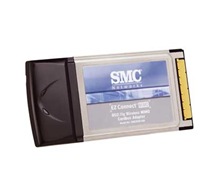
SMC SMCWCB-GM EZ Connect 802.11g MIMO Wireless Cardbus Adapter

SMCWCB-GM

The new EZ Connect MIMO 802.11g MIMO Wireless Cardbus Adapter (SMCWCB-GM) enables you to connect to 802.11g or 802.11b wireless networks at home, at the office or at public hotspots. The SMCWCB-GM provides the speed, coverage, and security expected by today’s wireless users when they communicate, download or upload large files, stream audio, video or use other bandwidth-intensive applications. The SMCWCB-GM is based on an advanced Ralink MIMO G chipset that is compliant with the IEEE 802.11g standard and certified by the Wi-Fi Alliance. This MIMO Wireless Cardbus Adapter when used in its MIMO mode with a compatible MIMO router or access point, is 20 times faster than older 802.11b wireless networking devices and yet is 100% backwards compatible with them.  The SMCWCB-GM significantly increases the performance of mixed-mode (802.11b and 802.11g) actual networks and in MIMO- only networks – provides up to 35% more throughput.

Device Name: SMC SMCWCB-GM EZ Connect TM 802.11g Wireless Cardbus Adapter with MIMO Technology

Device ID: PCI\VEN_1814&DEV_0401&SUBSYS_EE041113

Download SMCWCB-GM 802.11g Wireless Cardbus Adapter Windows 2000,XP, Vista Drivers:

Release Version Language Size Info Download

09/07/2007v2.0.3.0 EN3590 kbSMCWCB-GM Vista Driver
09/05/2006N/A EN7699 kbSMCWCB-GM Win2000,XP Driver and Utility
(Shipping version)

Ralink RT2500 Series Wireless PCI/Mini-PCI/CardBus Adapter

Supported Hardware PCI ID:

[Ralink]
PCI\VEN_1814&DEV_0201&SUBSYS_25601814

[QCOM]
PCI\VEN_1814&DEV_0201&SUBSYS_615118E8
PCI\VEN_1814&DEV_0201&SUBSYS_614618E8

[MSI]
PCI\VEN_1814&DEV_0201&SUBSYS_68331462
PCI\VEN_1814&DEV_0201&SUBSYS_68341462
PCI\VEN_1814&DEV_0201&SUBSYS_68351462

[Winstron]
PCI\VEN_1814&DEV_0201&SUBSYS_12A0185F
PCI\VEN_1814&DEV_0201&SUBSYS_22A0185F

[Amigo]
PCI\VEN_1814&DEV_0201&SUBSYS_914016EF&REV_01
PCI\VEN_1814&DEV_0201&SUBSYS_922016EF&REV_01
PCI\VEN_1814&DEV_0201&SUBSYS_923016EF&REV_01

[CNet]
PCI\VEN_1814&DEV_0201&SUBSYS_001E1371
PCI\VEN_1814&DEV_0201&SUBSYS_00201371
PCI\VEN_1814&DEV_0201&SUBSYS_001F1371

[ASUS]
PCI\VEN_1814&DEV_0201&SUBSYS_107F1043
PCI\VEN_1814&DEV_0201&SUBSYS_127F1043
PCI\VEN_1814&DEV_0201&SUBSYS_130F1043
PCI\VEN_1814&DEV_0201&SUBSYS_137F1043
PCI\VEN_1814&DEV_0201&SUBSYS_137E1043

[Delta]
PCI\VEN_1814&DEV_0201&SUBSYS_70104033

[ZINWELL]
PCI\VEN_1814&DEV_0201&SUBSYS_03615A57
PCI\VEN_1814&DEV_0201&SUBSYS_03605A57
PCI\VEN_1814&DEV_0201&SUBSYS_01605A57
PCI\VEN_1814&DEV_0201&SUBSYS_300918A3
PCI\VEN_1814&DEV_0201&SUBSYS_301018A3

[AMIT]
PCI\VEN_1814&DEV_0201&SUBSYS_531018EB
PCI\VEN_1814&DEV_0201&SUBSYS_531118EB
PCI\VEN_1814&DEV_0201&SUBSYS_531218EB

[CASTLENET]
PCI\VEN_1814&DEV_0201&SUBSYS_12801688

[ACCTON]
PCI\VEN_1814&DEV_0201&SUBSYS_43061113

Download Ralink RT2500 Series Wireless PCI/Mini-PCI/CardBus Lan Card Windows 98/ME/2000/XP/Vista Drivers: Download 1, Download 2

TRENDnet 54Mbps Wireless G ADSL 2/2+ Modem Router TEW-436BRM (v1.0R) Firmware

| Wireless Driver & Software

The 54Mbps Wireless G ADSL 2/2+ Modem Router (model TEW-436BRM) is an all-in-one modem and wireless g router.

Features:

  • Wi-Fi compliant with IEEE 802.11g and IEEE 802.11b wireless devices
  • Compliant with ADSL, ADSL2 and ADSL2+ standards and Compliant with PPPoE, PPPoA or IPoA connection types
  • Wi-Fi Protected Setup (WPS) for simple network connectivity
  • Supports RIP, Static routing and dynamic DNS service
  • Supports the TR-069 remote management protocol
  • Wi-Fi Multimedia (WMM) Quality of Service (QoS) technology
  • Advanced Firewall protection with Network Address Translation (NAT) and Stateful Packet Inspection (SPI)
  • Internet Access Control (MAC Address, Domain, URL, and IP Filtering) support
  • Supports Windows, Linix, and Mac operating systems
  • Easy configuration and remote management with a Web browser (HTTP)
  • Advanced wireless encryption: 64/128-bit WEP, WPA/WPA2-RADIUS, and WPA/WPA2-PSK
TEW-436BRM
TYPEDESCRIPTIONDATEDFILE SIZE
Datasheets

TEW-436BRM (Version 1.0R)
Data Sheet
Please Choose a Language:

EnglishFranceGermanySpainRussiaItaly
4/15/2010-
Firmware
DO NOT upgrade firmware on any TRENDnet product using wireless connection.
Firmware upgrade over wireless connection may damage the product. Please perform firmware upgrade with “wired” network connection only
Firmware upgrade failure may permanently damage the unit and causing it not to function. Please check the “Firmware Release Note” on our web site and if the issues in the note do not address the problem you are experiencing, please do not upgrade the firmware.

Firmware Version: v1.01.04
Release Date: 1/2010
Note: Initial Release

File Name:TEW-436BRM(v1.01.04).zip

5/7/20102.55Mb
GPL Source Code The following downloads are not necessary for most users. Some TRENDnet products include software code written by third party developers. These codes are subject to the GNU General Public License (“GPL”) or GNU Lesser General Public License (“LGPL”).

Click on the link under Download Files for the desired TRENDnet product to access to the GPL Code or LGPL Code. These codes are distributed WITHOUT WARRANTY and are subject to the copyrights of the developers. TRENDnet does not provide technical support for these codes. Please go to http://www.gnu.org/licenses/gpl.txt or http://www.gnu.org/licenses/lgpl.txt for specific terms of each license.

For a list of all available GPL Souce Codes, click here.

File Name:GPL_TEW-436BRM(V1-1.01.04).zip

5/20/201019.13Mb
Quick Installation Guide

TEW-436BRM Quick Installation Guide
Please Choose a Language:

EnglishFranceGermanySpainRussia
EstoniaPortugal
12/14/2009-
User’s Guide

TEW-436BRM User’s Guide
Please Choose a Language:

English
12/14/2009-

Download Ralink RT2860/RT2760/RT2890/RT2790/RT306X/RT309X/ RT35X2 Wireless Drivers

| Wireless Driver & Software

ralink_logo

Ralink (RT2860 / RT2760 / RT2890 / RT2790 / RT306X / RT309X / RT35X2) Chipsets, 802.11n solutions.

Download Ralink RT2860 /RT2760/RT2890/RT2790/RT306X/RT309X/RT35X2 PCI/Mini-PCI/CardBus Device Windows Driver, Utility:

Support O/S: Windows 2000, XP 32/64bit, Vista 32/64bit, Win 7 32/64bit;

Update Date: 01/18/2011.  Version: 2K/XP:3.1.14.0; Vista:3.1.14.0; Win7:3.1.14.0

Download 1, Download 2

Supported Hardware ID:

EagleTec ET-WB2000/ET-WB2500 11b Wireless LAN PC Card

ET-WB2000

ET-WB2000/ET-WB2500, PCMCIA CardBus (32bit), Compatible with IEEE 802.11g WIFI standard 11M Wireless PCMCIA 32-bit Cardbus Support AD-HOC communication Suitable for laptop with PCMCIA Cardbus slot.

ET-WB2000 (ADMTek ADM8211 Chipset):
Device Name: 802.11b Wireless CardBus PC Card.
Device ID: PCI\VEN_1317&DEV_8201&SUBSYS_82011317

ET-WB2500 (Realtek RTL8180 Chipset):
Device Name: 802.11b Wireless LAN CardBus (Mini-)PCI NIC
Device ID: PCI\VEN_10EC&DEV_8180&SUBSYS_818010EC

EagleTec ET-WB2000 802.11b Wireless LAN PC Card Windows 98/ME/2000/XP Drivers: Download

EagleTec ET-WB2500 802.11b Wireless LAN PC Card Windows 98/ME/2000/XP Drivers: Download

Acer Notebook Wi-fi & Bluetooth

TravelMate 4150 / 4650 Series

Broadcom 802.11b+g Wireless Lan Driver 3.100.46.0
Bluetooth Driver


TravelMate 4200 Series

Intel 802.11g Wireless Lan Driver 10.1.0.11


TravelMate 4400 Series

WIDCOMM Bluetooth Driver, v.3.0.1.904, 20.6MB, 2008/12/02
Broadcom Wireless LAN Driver, v.3.100.46.0, 6.8MB, 2008/12/02
Foxconn Wireless LAN Driver, v.4.1.0.132, 5.6MB, 2008/12/02


TravelMate 4500 Series (Same to TravelMate 4000 )


TravelMate 4600 Series (Same to TravelMate 4100 )


TravelMate 4650 Series (Same to TravelMate 4150 )


TravelMate 530 Series

Win2000/WinXP: 802.11a+b & b Wirless Lan Driver (b)2.1.0.0 (a+b)2.11.7.21210


TravelMate 540 Series

LAN-Express AS IEEE 802.11 a/b/g Package Version 2.4.1.30 for Win2000/XP
LAN-Express AS IEEE 802.11 b Driver and Utility Version 5.1.5.8


TravelMate 6000 Series

WIDCOMM Bluetooth Driver, v.1.4.2.8, 19.4MB, 2008/12/03
Intel Wireless LAN Driver, v.8.1.0.26, 15.1MB, 2008/12/03


Firmware for Acer WLAN 11g Broadband Router (WLAN-G-RU1)

| Wireless Driver & Software

WLAN-G-RU1

Firmware for Acer WLAN 11g Broadband Router (WLAN-G-RU1)

DynDNS.org configuration as follows:

Server Address: members.dyndns.org
Host Name: name.dyndns.org
User Name: name
Password: *****